Shared workspaces for your money
Know where your money goes. Together.
Track income and expenses and keep every part of your life in its own workspace.
Income
$4,200
Expenses
$2,850
Net balance
$1,350
Cash flow
Who it's for
Built for how you actually live
One simple tool for households, side projects, small teams, and anyone who wants a clearer view of their money.
Households
Share one workspace with your partner or family so everyone sees the same groceries, bills, and income, without passing a spreadsheet around.
Side projects and freelancers
Keep project income and expenses apart from personal spending, with a clean ledger for each client or project.
Small teams
Give teammates access to a shared workspace and manage who is in it, and who is still pending, from settings.
Features
Everything you need, nothing you don't
Workspaces, a fast ledger, templates, and clear numbers, all in one place.
Separate workspaces
Keep family, business, and side-project money completely apart. Every workspace has its own transactions, members, accounts, and totals, so one part of your life never blurs into another.
Fast transactions
Record income and expenses in seconds, whether you are at the counter or catching up later. Search, sort, filter, and page through your full ledger without losing the details that matter.
Reusable templates
Turn any transaction into a reusable template for rent, subscriptions, invoices, or any entry you make again and again. Next time, it takes a click instead of a full form.
Clear numbers
See income, expenses, and net balance for each workspace in a layout that is easy to scan. Your numbers update as you add transactions, so you always know where you stand.
One workspace for every part of your life
Everything you add lives inside a workspace. Switch between them in a click and keep household spending, business expenses, and side-project income in separate, clearly labeled spaces. Each workspace has its own accounts, ledger, budgets, categories, members, and totals.
- Create as many workspaces as your plan allows for home, work, projects, or clients
- Switch instantly from the top bar without losing your place
- Each workspace keeps its own accounts, members, transactions, and numbers
- Invite only the people who should see that part of your finances
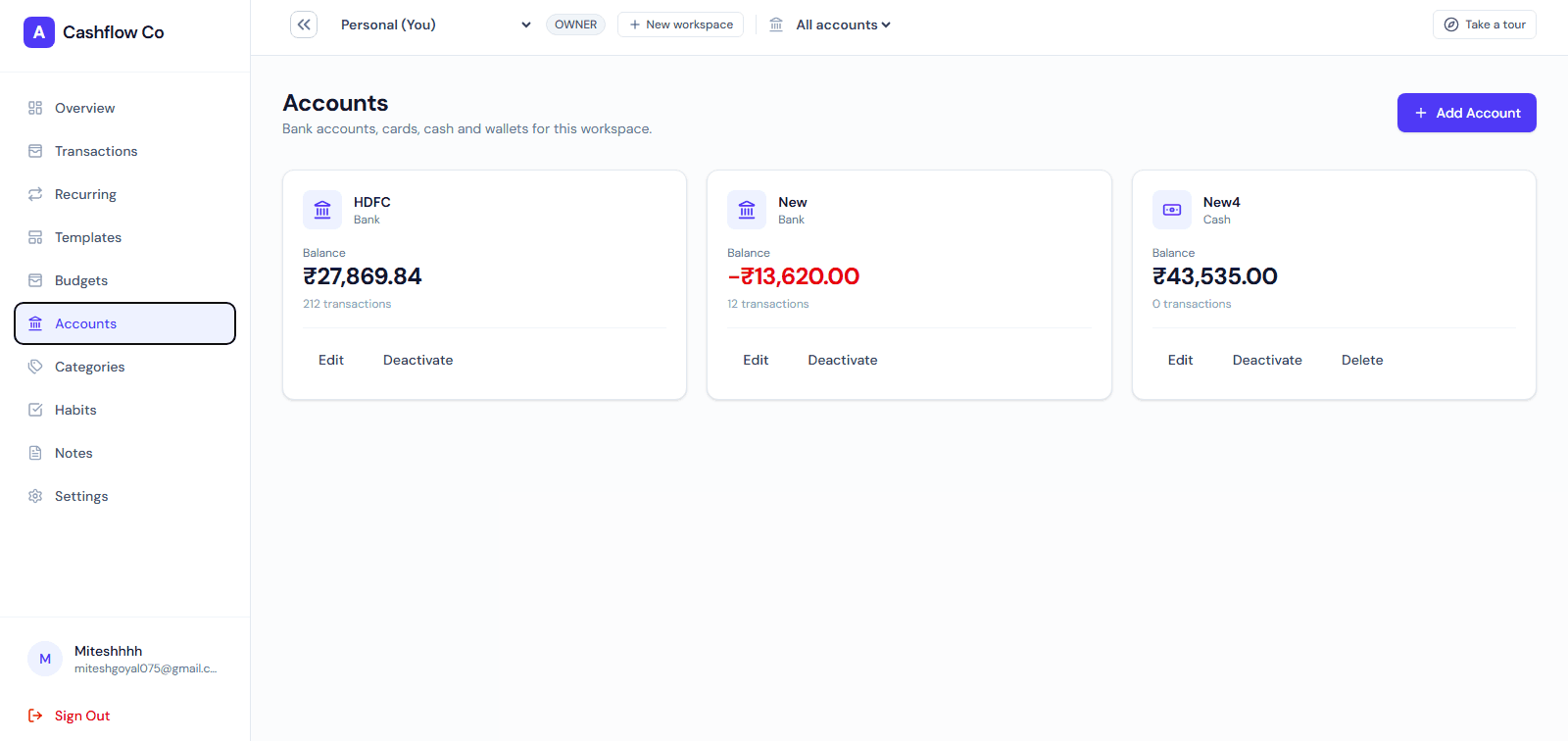
Every account, side by side in one workspace
Add the accounts you actually use, such as cash, a bank account, or a card, and keep them together in a single workspace. Record each transaction against the account it belongs to, so your numbers match what is really happening.
- Add multiple financial accounts inside the same workspace
- Record each transaction against the right account
- See the full picture across accounts without switching apps
- Keep personal and business accounts in separate workspaces
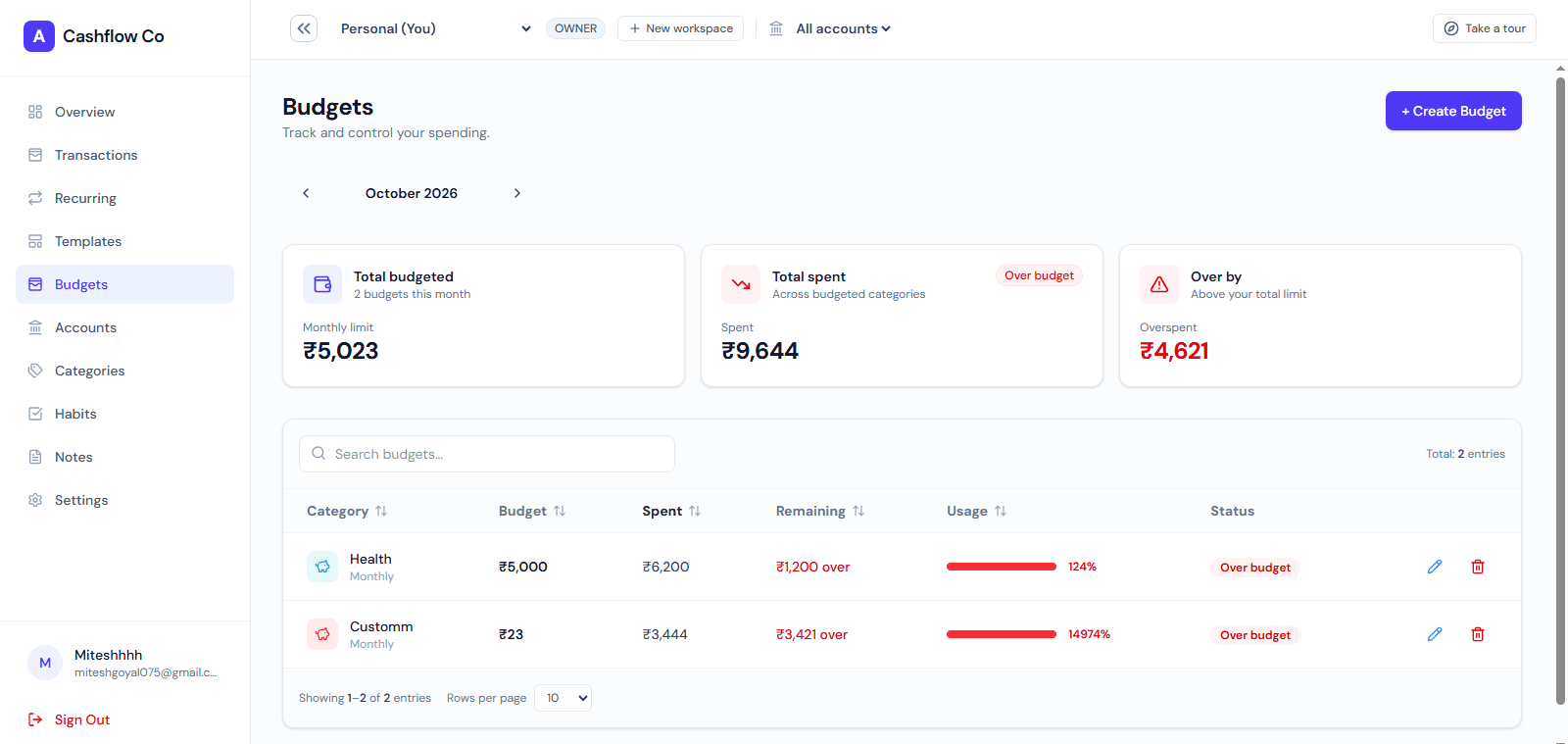
Budgets that follow your real spending
Set a monthly budget and watch it fill up as you add transactions. Progress is worked out from the entries already in your ledger, so there is nothing extra to maintain.
- Set monthly budgets for the categories that matter
- See spent versus remaining, calculated from your transactions
- Keep a separate set of budgets in each workspace
- Spot overspending early instead of at month end
Manage money with the people who share it
Invite family members, partners, or teammates into a workspace and manage access from settings. Everyone sees the same up-to-date picture, while each workspace stays limited to the people you choose.
- Invite multiple people into the same workspace by email
- Manage members and pending invitations from settings
- Only people you invite can see a workspace
- Keep shared money organized without shared spreadsheets
How it works
Up and running in minutes
Four simple steps from sign-up to a shared, organized view of your money.
Create your account and first workspace
Sign up and follow a short onboarding flow that sets up your first workspace. You can add more workspaces later for family, business, or side projects.
Add your transactions
Record income and expenses as they happen, and save the repeating ones as templates so routine entries take only a click.
Watch your numbers take shape
Income, expenses, and net balance update as you go, giving you a clear view of each workspace without manual calculations.
Invite people to share the view
Bring in family members or teammates so everyone works from the same up-to-date picture of the workspace.
Plans
Simple plans that grow with you
Start free. Upgrade when you need more workspaces or want to invite people.
Free
For individuals getting started with tracking.
- 1 workspace
- Unlimited transactions
- Transaction search and sorting
- Guided tour
Plus
For families and side projects that share money.
- Up to 5 workspaces
- Invite members by email
- Reusable transaction templates
- Everything in Free
Team
For small teams that manage money together.
- Unlimited workspaces
- Larger member limit
- Member and invitation management
- Everything in Plus
FAQ
Frequently asked questions
Can’t find what you need? Reach out and we’ll help.
What can I track?
You can track income and expenses as transactions, all inside a workspace. Each workspace keeps its own records so you can separate different parts of your life.
What is a workspace?
A workspace is a separate space with its own transactions, accounts, members, and totals. Use one for family, another for a business, another for a side project, or however you want to organize your money.
Can I share a workspace?
Yes. You can invite people by email and manage members and pending invitations from workspace settings. Only people you invite can see that workspace.
What are templates?
Templates are reusable transactions. Save any entry as a template so repeating expenses, like rent or subscriptions, take a click instead of filling out the same form again.
Is there a tour?
Yes. A short guided tour walks you through workspaces, transactions, and the main areas of the app on your first visit.
Take control of your cash flow
Create a workspace, add your first transaction and take the guided tour.
- Free plan available
- Invite-only sharing
- Guided tour included